An innocent-looking party invitation can lead to phishing scams, malware, and attackers remotely accessing your computer. Our investigation found fake Google login pages, remote access software, and malware in these emails that give attackers access to your account and computer if the file is clicked on and run.
A familiar sender does not guarantee a safe email. Attackers can compromise someone’s email account and use the real address to send malicious emails to everyone in their contact list, making the message look like something you would actually expect to receive.
Party invitations are just one disguise. The same tactic can be used with fake Zoom meetings, job offers, government messages, and anything else you have a perfectly good reason to open.
You're Invited! ...But This Party Comes with a Price
Main Takeaways

An email arrives from someone you know. They’re having a party, and you’re invited! There’s a nice little virtual card, a date, and all the important details are attached, or maybe they’re behind a button asking you to download the invitation.
You start wondering where it is, whether you’re free, what you should bring, and if you’ll know anyone else who’s going. Whether the invitation will give a stranger total control of your entire computer probably doesn’t make the list…
…and that’s exactly what scammers are counting on.
Attackers can dress up a phishing attack, dangerous malware, and remote access software, disguising it as a party invitation from a familiar name.
But this is one invitation you should definitely decline!
An Invitation with Strings Attached
Recently, Seraph Secure received an email inviting us to a special dinner party. We would be flattered of course that you thought of us! But unfortunately, this invitation wasn’t quite what it appeared to be.
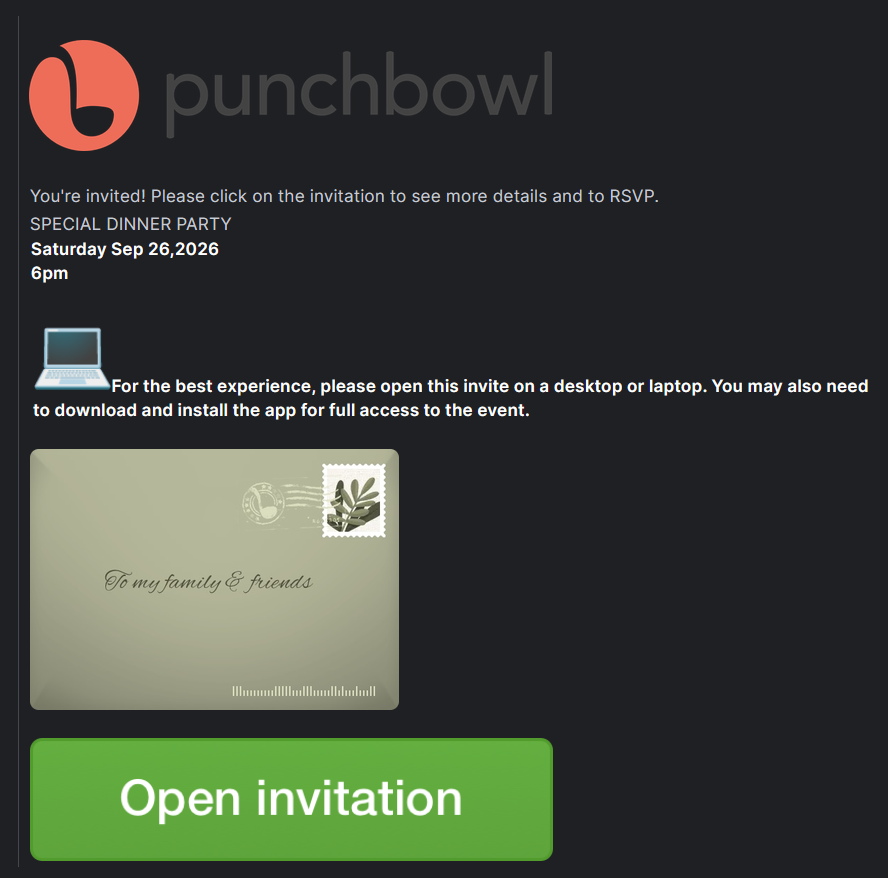
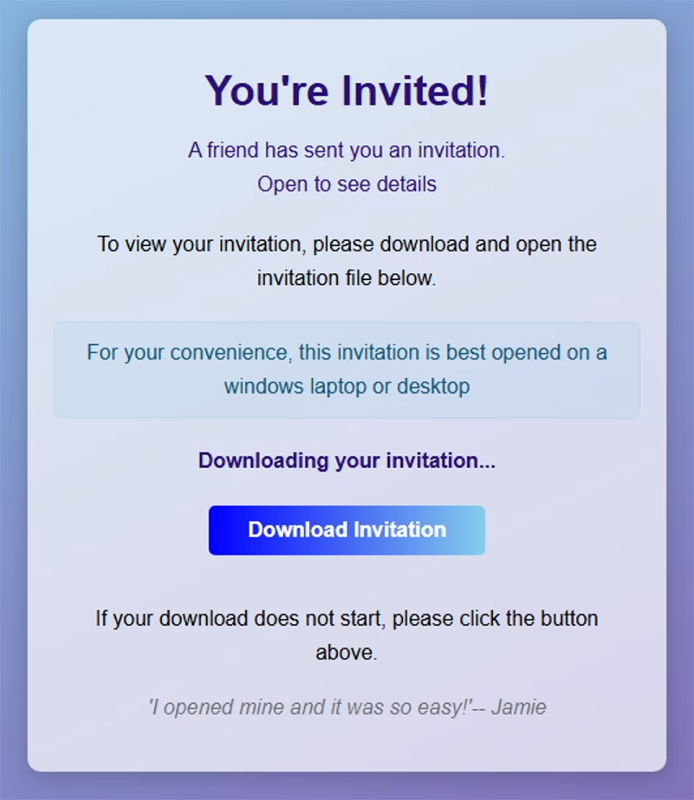
This is a typical setup for an invitation attack. The email may appear to come through something like Paperless Post, Evite, or, in this case, Punchbowl - real services that let you send digital postcards and invitations. While the look of the email can vary, the message is often short and friendly with very little information and a reason to click for more.
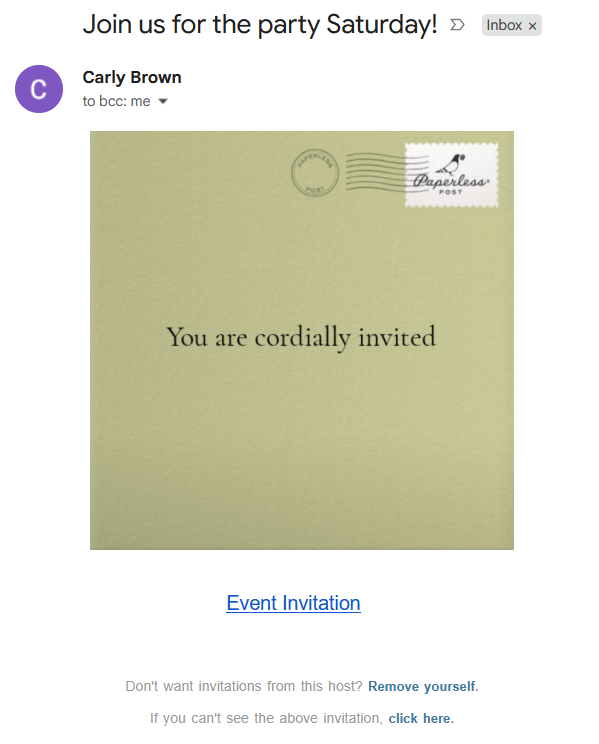
The message typically contains a button or link to click so you can see more details or RSVP. In other cases, it may ask you to download the invitation. Nothing about this necessarily screams “danger,” especially when the message appears to come from someone you know.
It Came From Someone I Know, Not a Scammer
But wait, if the invitation came from someone you know, how did an attacker get into their inbox in the first place?
Unfortunately, compromising an email account isn’t as difficult for a hacker as it might seem, especially if they’re given an opportunity.
Data breaches can expose old passwords and other account information, and people have a habit of reusing old passwords across multiple accounts. That means a password exposed years ago could give an attacker a way into an account today. Weak or easily-guessed passwords are also extremely susceptible to being cracked.
Attackers can also gain access through malware – like what’s sometimes used in these invitations – to steal login tokens. So, if one of your friends received an invitation email themselves, opened it, and unknowingly installed malware, that could give an attacker a way into their email account, too.
All it takes is one hacked email, and suddenly the attacker can start wreaking havoc by using that compromised account to send out malicious messages to the entire contact list.
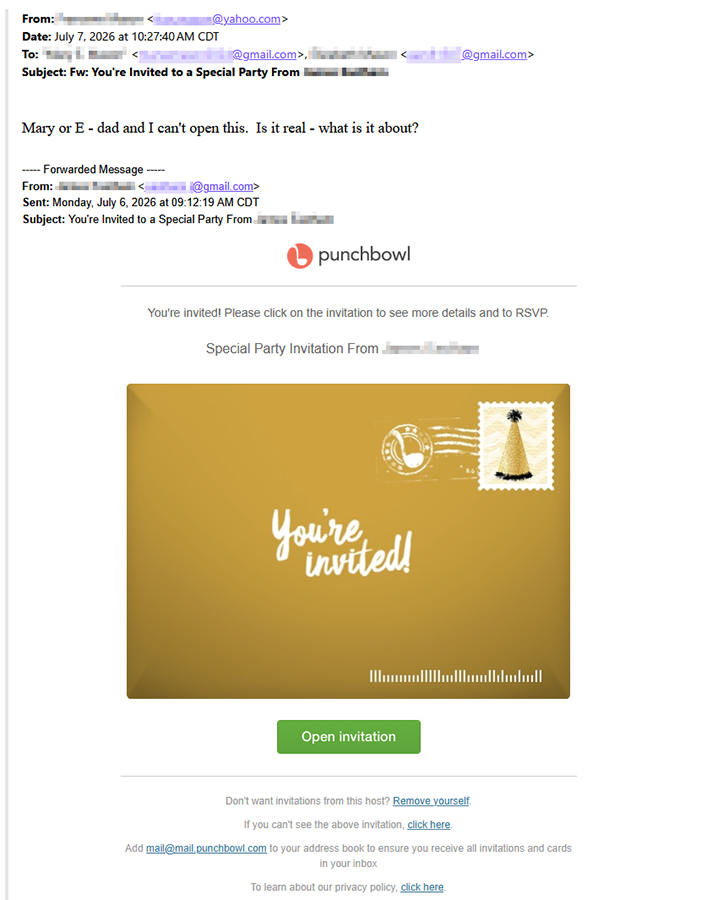
All that to say, an email can come from the real address of someone you know and look like the kind of message they might actually send. Because the account is legitimate, there may be nothing suspicious about the sender.
And that familiar name does a lot of work. You might immediately question an invitation sent from a stranger, but a message sent from a family member, friend, neighbor, coworker, acquaintance, etc. is a plausible situation. Of course they would invite you, and of course you’d open it.
But what happens if you do?
Accepting the Invite to be Scammed...and More
Well, we wanted to find out so that you don’t have to! The Seraph Secure investigations team opened a handful of these invitations inside a virtual machine, essentially a controlled, “sandbox” computer environment, that allows us to examine suspicious files and websites without putting our own computers at risk.
It goes without saying, but don’t mess with this stuff on your own device – trust us.
What we found was that not every fake invitation works the same way. Some are phishing scam attempts designed to steal your login credentials. Others download remote access software. Some deliver multiple types of malware at once. All will create a giant headache for an unsuspecting victim.
The Fake Google Login
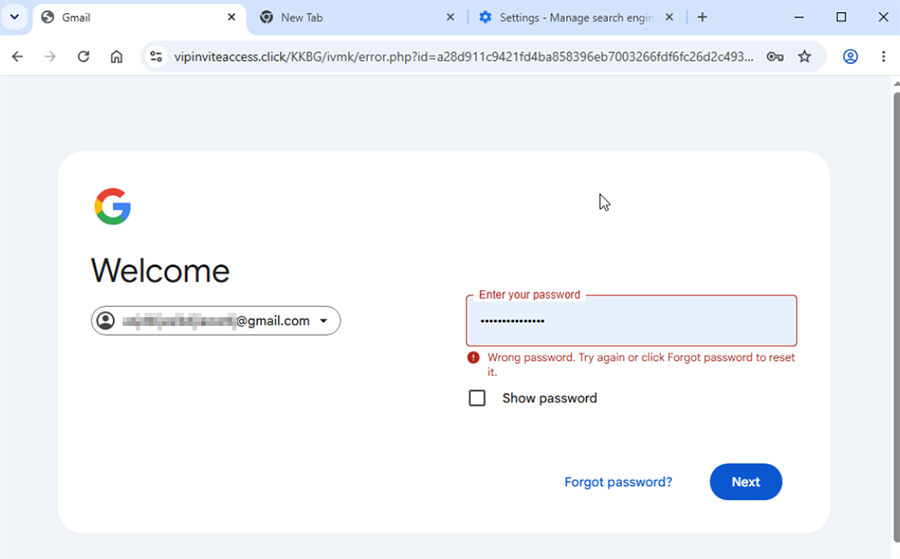
One invitation led to a phishing page designed to mimic the Google login screen and it’s actually quite convincing. The page had Google’s familiar layout, the Google logo, and the message asking you to sign in to continue to Gmail. You might not see anything wrong at first, but if you type in your email address and password here, you’ve handed that information directly to the attacker. But how?
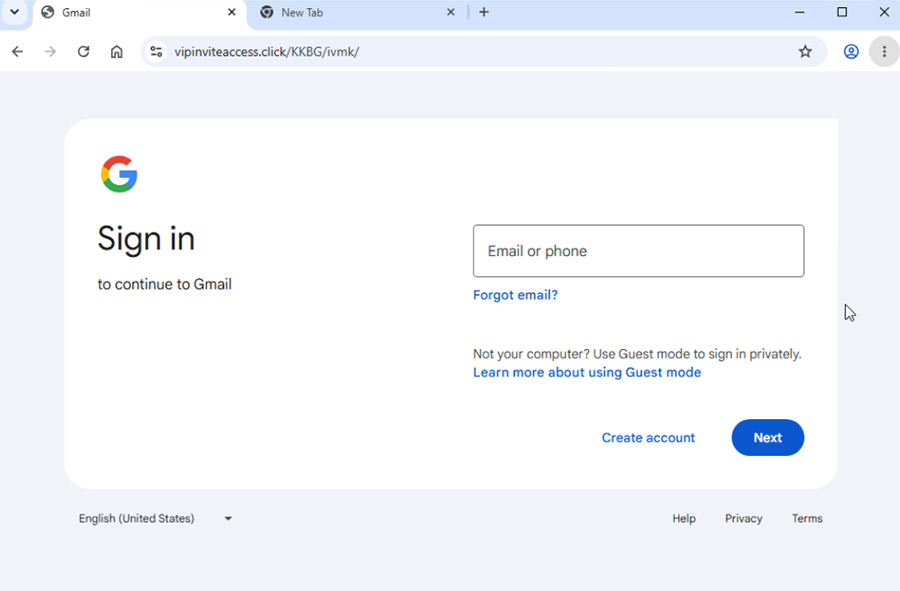
There’s one important detail hiding at the top of the screen in the address bar. The URL is vipinviteaccess.click, not google.com or accounts.google.com. It immediately tells you that this is part of a phishing attack.
Interestingly, when we put in our (fake) information, the password-save prompt appeared, pre-populated with the attacker's own Gmail address.
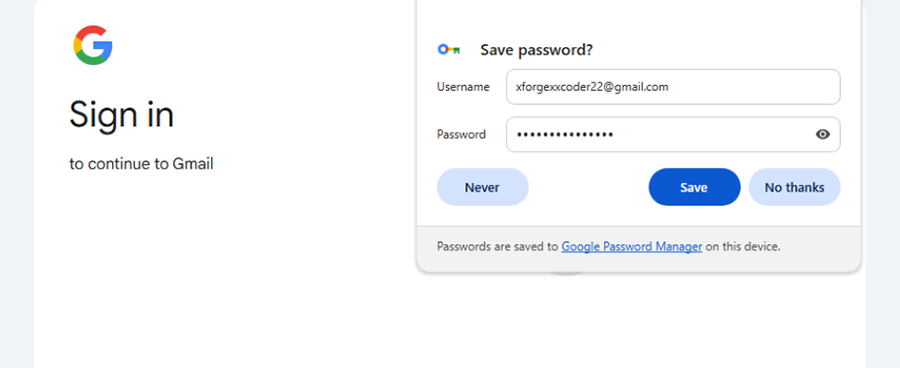
As expected, attempting to sign in went nowhere and just showed us that we entered the wrong password.
The Remote Access Version
Other invitations took a different route. Instead of trying to steal our login credentials, they tried to download a remote access tool onto our computer.
Before we dive into this one, it’s important to understand what remote access is.
What Remote Access Actually Means
The quick tl;dr version is that remote access software is a tool that lets people control your computer from somewhere else. They can do anything they want on it as if they were physically sitting in front of it themselves.
Depending on the tool and its permissions, it can let someone see the screen, move the mouse, type on the keyboard, open programs and pictures, transfer files, and install other software.
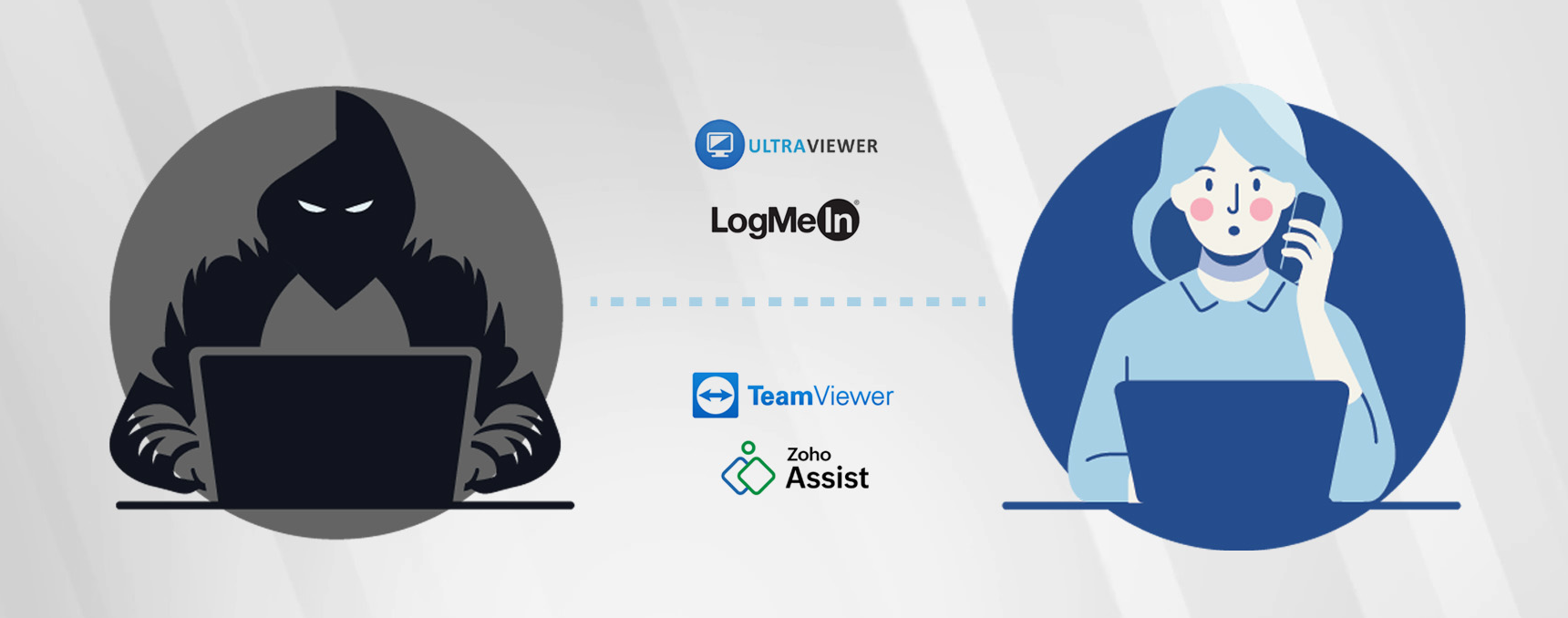
Many remote access tools are completely legitimate and widely used by businesses and IT professionals who need to access computers remotely to work on them. It can save you time or a trip to the office if you can just connect to your home computer from work to get a file or have IT remote in to help you solve a tech issue without being physically in front of your device.
The problem is not the software itself.
It’s who installed it, who has access to it, and whether you actually agreed to let them connect – or stay connected – without your knowledge or permission.
Many types of remote access software allow unattended access, meaning that you don’t have to be in front of your computer to manually approve connection requests. This is useful for say, an IT team that maintains computers after everyone in the office has gone home.
It can also be a very unwelcome feature if the person on the other end is a scammer.
What Can a Scammer Do with Remote Access
This is the part that’s easy to underestimate. Once installed, scammers can remotely interact with your computer. They may wait until you’re away or asleep, then strike.
They might:
Open your webcam and spy on you.
Go through your web browser, your saved passwords, and access any online accounts they can find.
Get into your online bank account and attempt to transfer money out.
Get on your Amazon or any other shopping website you use and purchase things like gift cards using saved payment information.
Your email can be especially valuable. They may be able to intercept security codes, approve sign-ins, and reset passwords to all your accounts. They can comb through your email and search for anything sensitive.
They may also download a copy of your contact list and use your name and email address to send a similar party invitation to everyone you know in the hope that someone else will make the same mistake.
An Antivirus Won’t Always Help
This is where things can get confusing. You might expect your antivirus to throw up red flags the moment you install a remote access tool, but legitimate remote access software isn’t a type of malware and your security software won’t necessarily see it as a threat.
Even an up-to-date, premium antivirus program may not catch it. That’s one of the many reasons scammers like to use it – it flies under the radar, even on a “protected” computer.
(This is where Seraph Secure can help - Seraph Secure works with your antivirus software to watch for and block remote access attempts.)
A "Worst Case" Scenario
In the worst case we saw, the invitation downloaded infostealer malware along with a remote access tool, compromising the device and everything on it as soon as the downloaded file was clicked.
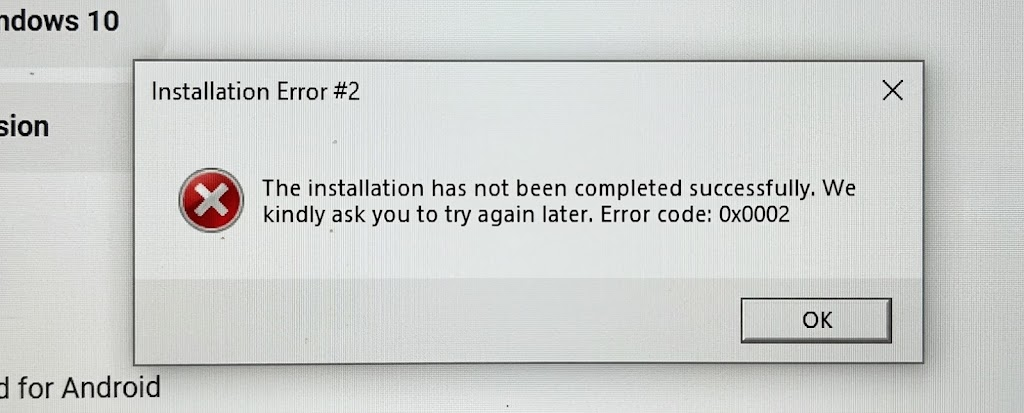
This happens so fast that you may not even realize what happened, and while you’re sitting there wondering why the invitation didn’t open, your compromised computer is already sending out loads of sensitive information to attackers.
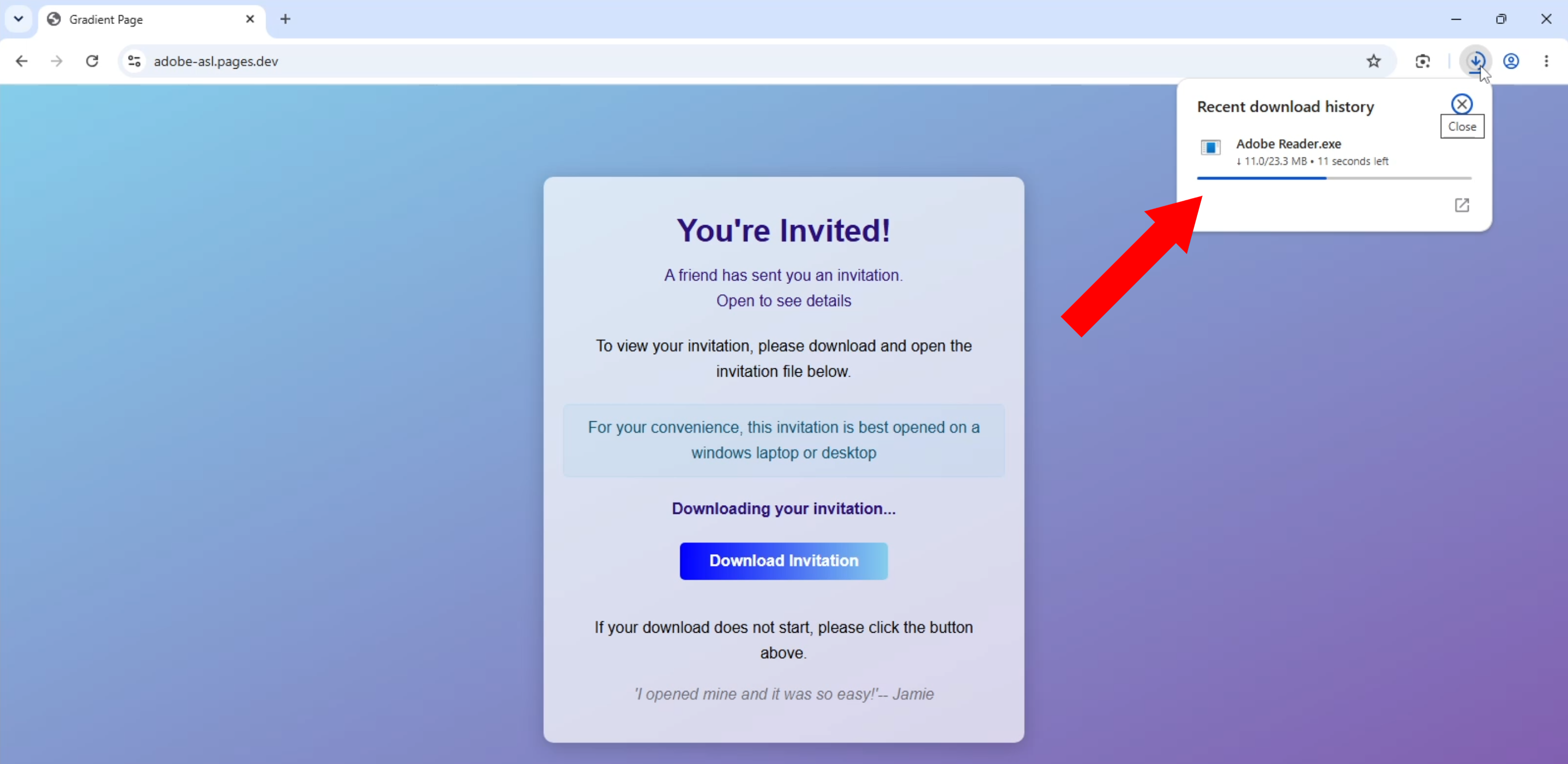
The really scary part is how quiet it is. There’s no dramatic “you’ve been hacked mwah ha ha ha” message. Your device might appear completely normal, all while the attackers gain control of your accounts and create major issues for you.
Before you Open Anything & RSVP
You don’t need to memorize every scam or malicious email out there, but having a healthy degree of skepticism, especially when it comes to unexpected things online, can help keep you safe from scams and other dangers.
The easiest way to stop this kind of attack is to catch it before you run anything. Sometimes we just absentmindedly click through prompts without putting too much thought into them, but when it comes to protecting your devices and accounts, it’s so important to stop and look at what you’re actually being asked to do.
Is there an attachment or link in the email? Even if it comes from someone you trust, don’t open unexpected attachments or click unexpected links until you verify legitimacy.
Are you being asked to install or download something? You shouldn’t need any sort of special program just to view an invitation, document, meeting, or message.
Does the file end in .msi or .exe? These are software files, even if the filename says something like “Invitation,” “RSVP,” or “Document.” File names can be changed to disguise what they really are.
Does the message seem unusual or make sense? A familiar sender doesn’t guarantee a safe message. If you are given weird instructions telling you to download something, stop.
And if you’re not sure?
Verify first. Don’t open it to find out.
Call or text the person who supposedly sent it using contact information you already have, not by responding to the email. If it’s coming from a company or service, go directly to the official website instead of clicking any links provided in the email.
What If You Already Opened It?
Don’t panic. If you downloaded the file but didn’t run it, you are most likely okay. Just carefully delete it and run a security scan to be on the safe side.
If you clicked on the file and ran the installer, treat the computer as compromised.
Disconnect the device from the internet by turning off the Wi-Fi or disconnecting the network cable, then get help from a trusted computer professional. Tell them exactly what you opened and when.
Don’t assume deleting the email or the file fixes the problem. If malware/remote access software was installed, the installation needs to be dealt with before the computer is safe to use again.
Use a different, trusted device to secure your important accounts. Change passwords for everything you can and enable two-factor authentication wherever possible. Remove any devices logged in from places you don’t recognize. Keep an eye on your financial accounts for any suspicious activity.
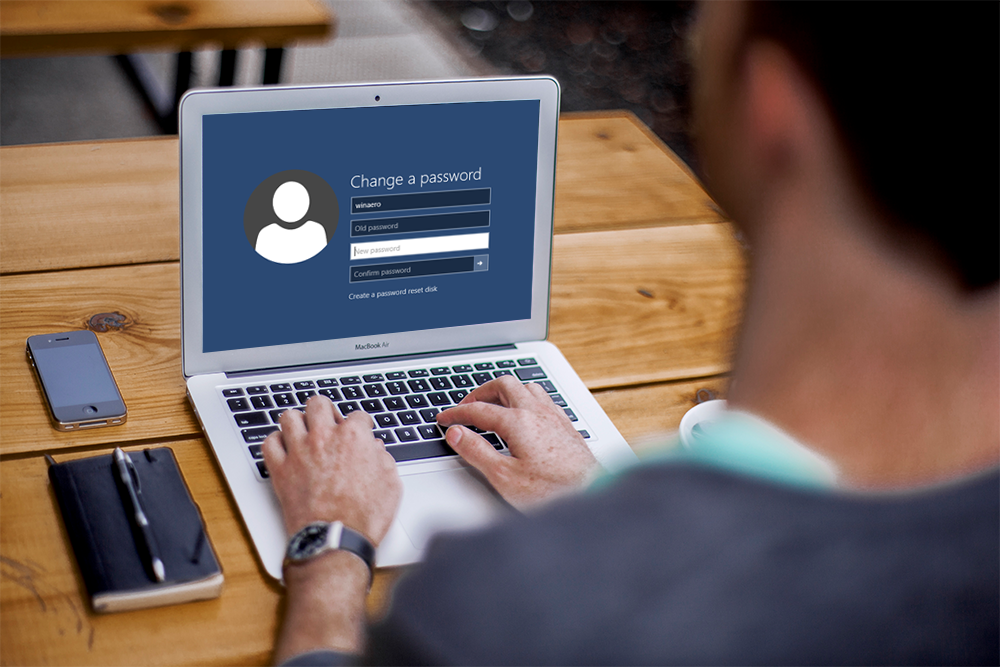
Check your email account settings. Attackers that get into emails will add forwarding rules to send a copy of the emails you receive to themselves. Make sure to remove any rules you didn’t create.
Warn your contacts. If you know your email was compromised and attackers may have sent out malicious email messages, let people know not to open or click on anything that came from you.

It’s Not Just Party Invitations
More than 25 years ago in 2000, a computer worm named ILOVEYOU spread around the world through email. The message appeared to be a love letter from someone you knew with an attachment called LOVE-LETTER-FOR-YOU.TXT.vbs. Opening it allowed the worm to spread itself to everyone in the victim’s address book while damaging files on the computer.
Sound familiar?
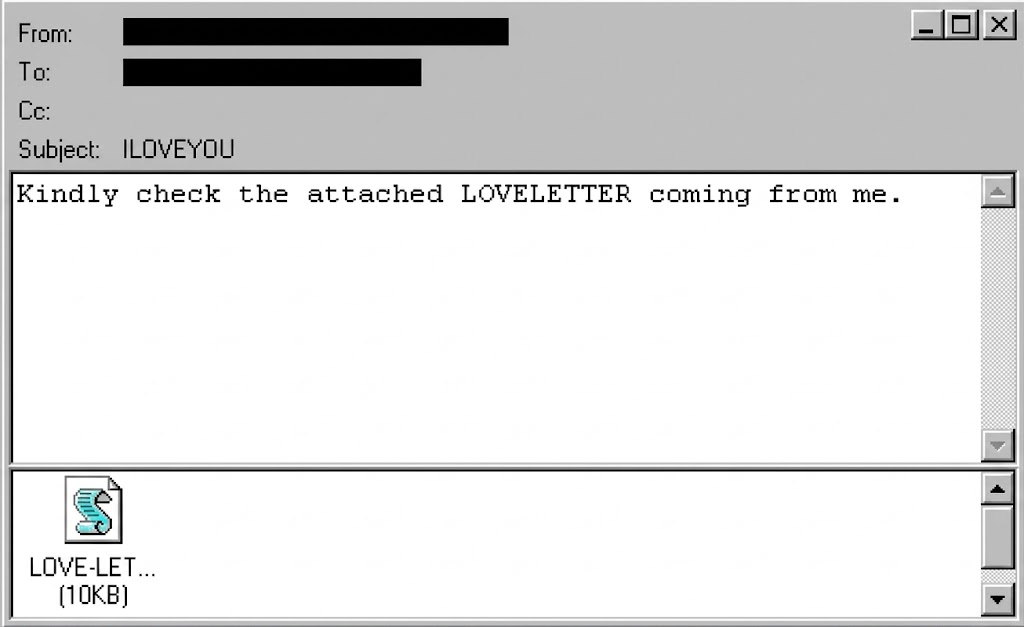
It spread fast. Within ten days, the outbreak affected millions of computers and caused so much disruption that businesses and government agencies shut down email systems in an effort to contain it.
Technology has changed quite a bit since then, but the basic idea hasn’t. Give someone a message they want to open, make it look like it came from someone they know, and hide something malicious behind the click or a download.
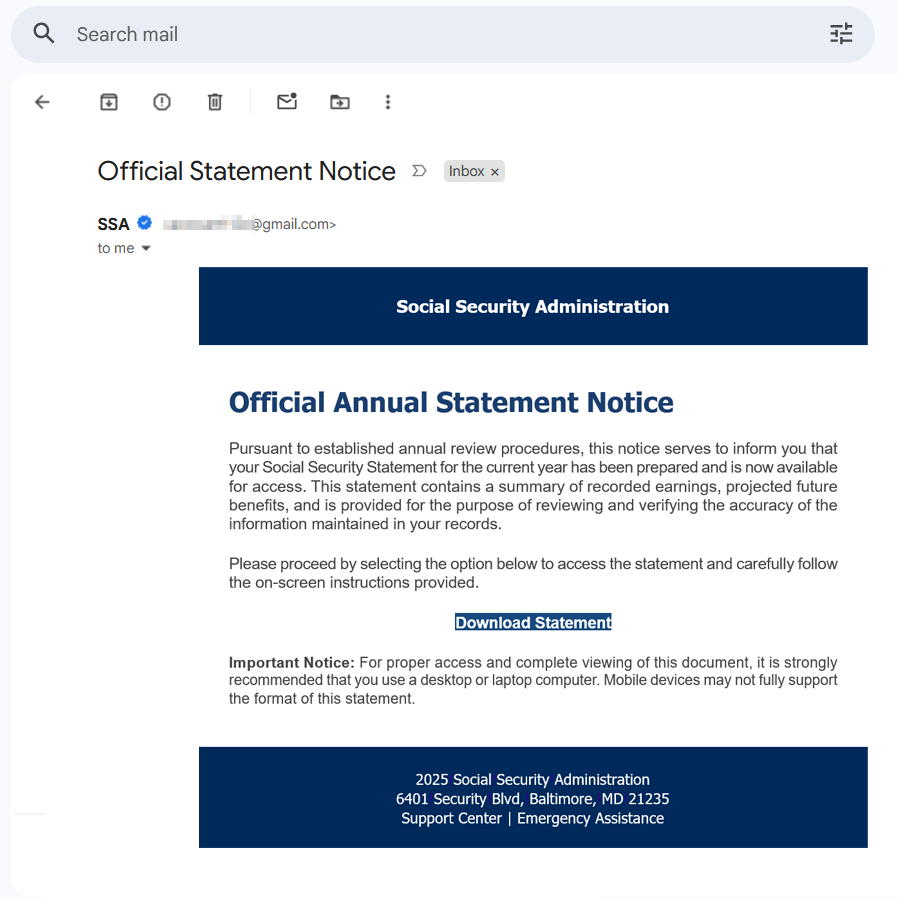
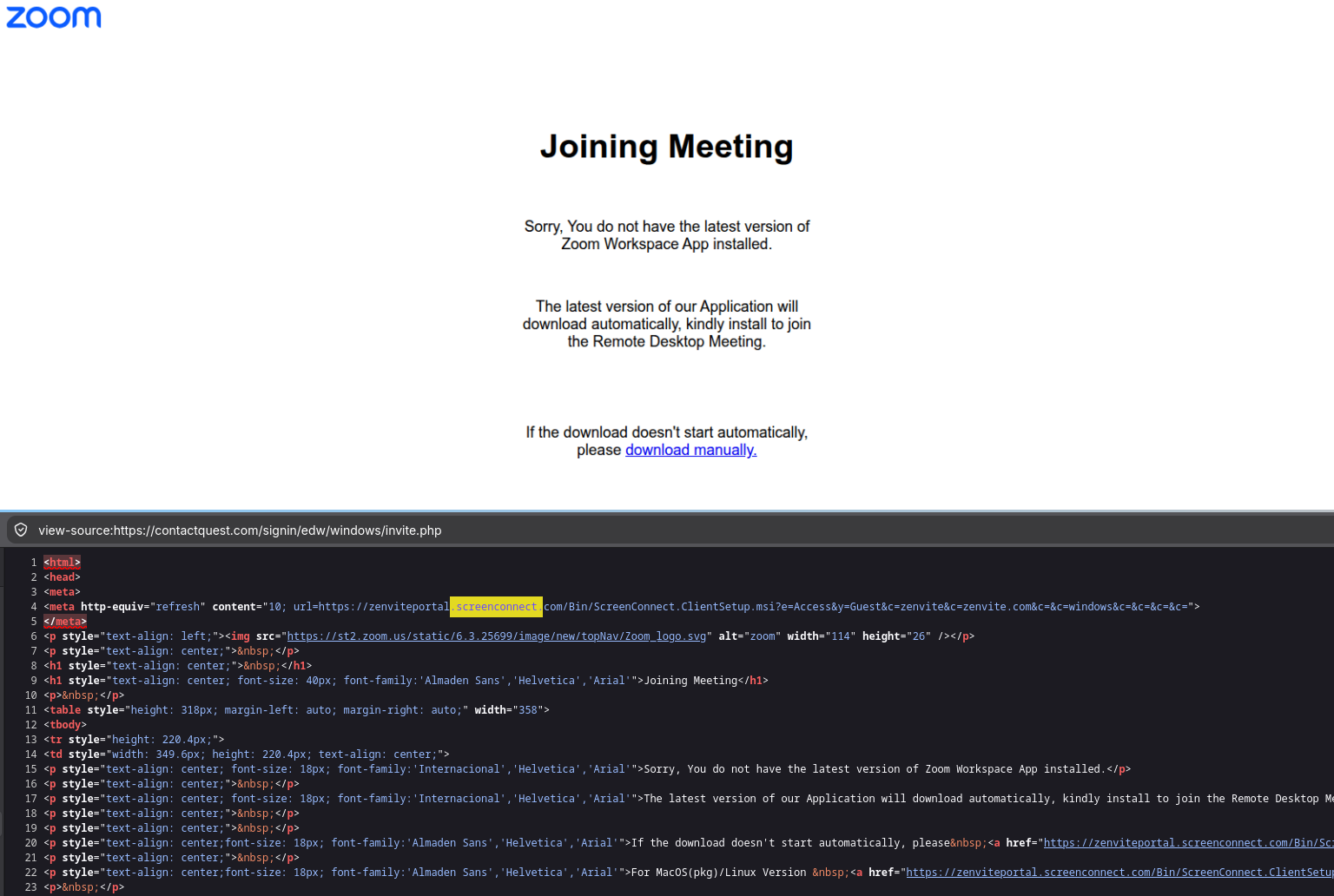
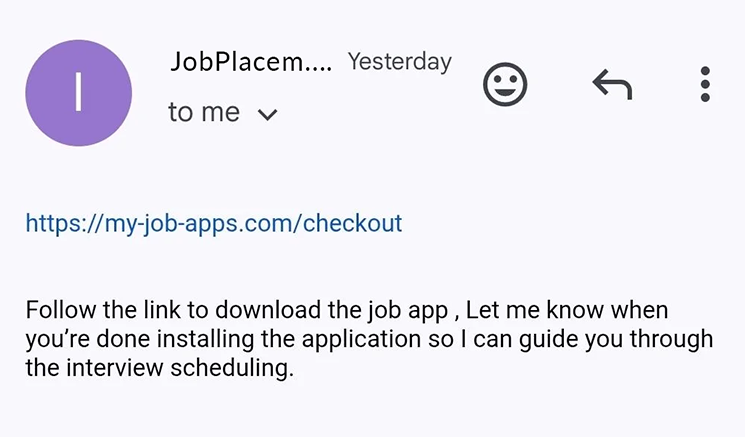
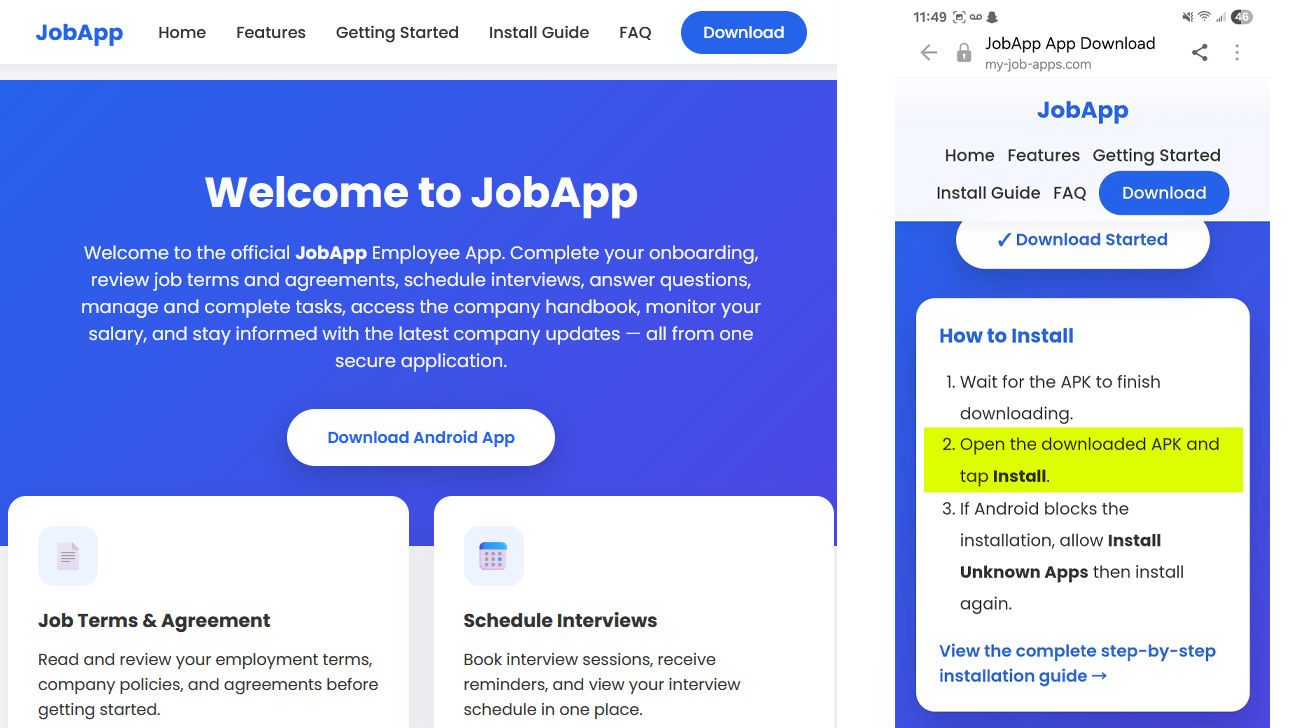
Just like the supposed love letter, the party invitation is just one disguise. We’ve seen the same tactic used with fake Zoom meeting invitations, fake messages from your bank or the Social Security Administration, fake DocuSigns, fake job offers…you name it, attackers have probably tried it. We’ve included a few examples below:
That’s what makes these attacks worth paying attention to. The dangerous part won’t always look dangerous. You probably aren’t going to get an email that says, “Hey, open this file called DefinitelyNotMalware.exe.”
Instead, you’re much more likely to get something that looks completely ordinary from someone you know, something you have a perfectly good reason to open.
And that’s exactly what the attackers are counting on.
– The Seraph Secure team